ESOS · notification of compliance
ESOS notification: file with evidence
Prepare the information for your compliance route, obtain responsible-officer confirmation and submit through MESOS.
The assessment, compliance notification and later action-plan filings are connected, but they are separate steps. Keep their evidence and deadlines clear.
The MESOS portal
MESOS, and how to sign in
MESOS is the Environment Agency’s online service for every ESOS filing; the GOV.UK ESOS page links to it and says users create a GOV.UK One Login to sign in.
The guidance adds that users create an account and, once the scheme administrator has verified it, can enter, save and submit information.
Read the detailed guidance and references
A notification can be partly completed and saved for later, which matters for a group assembling figures from several subsidiaries.
The “MESOS login” people search for is therefore a One Login sign-in to the MESOS service, not a separate ESOS password.
The name MESOS appears nowhere in the Regulations, which call the system the Notification System; the two mean the same thing.
The Environment Agency answers scheme queries within ten working days and asks for questions well before the deadline; system queries go to the separate esos-it address.
| Full name | Manage your Energy Savings Opportunity Scheme reporting |
| Statutory name | The Notification System (regulation 8) |
| Run by | The Environment Agency, as scheme administrator for the whole UK |
| Opened | Registration from 19 March 2024; notifications from 30 April 2024 |
| Replaced | The Smart Survey system used in Phases 1 and 2 |
| Sign-in | GOV.UK One Login; the account is verified by the scheme administrator |
| Used for | Notifications of compliance, action plans and progress updates |
| Help | esos-it@environment-agency.gov.uk for the system; esos@environment-agency.gov.uk for the scheme |
Use the official portal
Sign in
Use the official portal
Organisation
Use the official portal
Save
Use the official portal
Submit
What your route files
The notification of compliance, route by route
Regulation 29(1), as amended by the 2023 and 2026 regulations, lists the information a responsible undertaking notifies by route, each as a set of tables in Schedule 3.
A participant that audited completes Tables A, C, E, F, G, H and J; one deemed compliant for part of its consumption under regulation 33(2) adds Table I for the certificate.
Read the detailed guidance and references
A participant on the full ISO 50001 route completes Tables A, C, F, G, J and K, and a zero-consumption participant Tables A and C only.
Table D is added wherever a lead assessor must be appointed, and Table B where two or more undertakings comply as one participant.
Every notification also carries the responsible officer’s confirmation under regulation 31.
Appendix B of the guidance turns the tables into fields, and the ESOS templates page sets out the report checklist that feeds them.
Notification of compliance · reg 29(1)
Route
Schedule 3 tables to complete (reg 29(1)(a), (ac))
A · C · D · E · F · G · H · J
Table J carries the savings achieved and the action plan review; only the combined kWh saving is published.
Table D is needed because a lead assessor must be appointed.
Confirmations the responsible officer gives (reg 31)
- The participant is within the scope of the Scheme
- The responsible undertaking has complied with Parts 4 to 6
- The information notified is correct
- They have seen and considered the audit recommendations and any route relied on
Window: after 31 December 2026 and no later than 5 December 2027, through MESOS.
SI 2014/1643 regs 29(1), 31 and Schedule 3, as amended by SI 2026/701 regs 20, 21 and 31; EA Phase 4 guidance §4.7.
The table letters are the statute’s; read Appendix B for their fields.
Identify your route
Audit
Identify your route
Low consumption
Identify your route
ISO 50001
Identify your route
Zero energy
When
The Phase 4 window: after 31 December 2026, by 5 December 2027
The statutory Phase 4 window is after 31 December 2026 and by 5 December 2027. Prepare the assessment and confirmation before filing.
Regulation 10 governs publication timing. Keep the regulator’s stated publication date separate from that legal period.
- 31 December 202601
Qualification snapshot
Determine whether the organisation qualifies; the notification is made after this date. - 1 January to 5 December 202702
Compliance notification window
Complete the applicable assessment, review and responsible-officer confirmation before submission. - 5 December 202703
- Six-month publication period04
Apply regulation 10
The period begins with the compliance date or notification date, whichever is later. EA guidance states 10 June 2028; that date is not the wording of the statutory period. - 5 December 202805
Action plan deadline
A separate subsequent filing, subject to the applicable requirements and exemption.
Read the detailed guidance and references
Regulation 29 requires the notification “after the qualification date, and by no later than the compliance date”, so for Phase 4 it falls between 1 January and 5 December 2027.
The deadline is statutory: the guidance says the scheme regulators cannot amend it, and an organisation that will miss it should contact its regulator.
The guidance also says further information will be provided on submitting Phase 4 notifications through MESOS, so the currently checked guidance still promises further detail of how Phase 4 notifications will be entered.
Missing the deadline is a regulation 43 breach, set out on the ESOS penalties page; every date in the cycle is on ESOS deadlines.
- 5 Dec 2026Phase 3 further progress update
The last Phase 3 filing, through MESOS.
- 31 Dec 2026Qualification date
Size is tested; the notification window opens after this date.
- 2027Assessment, review and sign-off
The ESOS report is produced before the compliance date.
- 5 Dec 2027Compliance date
The notification must be in.
- 10 Jun 2028Publication
The EA’s stated date for publishing Phase 4 notifications.
- 5 Dec 2028Action plan
Notified through MESOS in its own window.
What goes in
What the notification contains, and what is published
Phase 4 publishes more than Phase 3 did: the combined kWh saving is published, two rows of Table G that were withheld are now published, and consumption by organisational purpose is published.
What stays private is the commercially sensitive detail: savings measure by measure, the review of the last action plan, and the ISO 50001 route data.
Read the detailed guidance and references
| Content | Notified | Published |
|---|---|---|
| Organisation and contact details, group structure | Yes | Mostly; personal details withheld |
| The director signing off, the lead assessor and others who carried out the assessment | Yes | Personal details withheld |
| Compliance routes used | Yes | Yes |
| Total and significant consumption in kWh, intensity ratios, consumption by organisational purpose | Yes | Yes; by purpose from Phase 4 |
| Energy saving opportunities identified | Yes | As Appendix B specifies |
| Combined energy savings achieved, in kWh | Yes | Yes |
| Savings per measure, and the action plan review | Yes | No |
| ISO 50001 route data (Table K) | Yes | No |
Regulation 10 sets the publication clock at six months from the compliance date or from the notification, whichever is later, while the guidance states 10 June 2028. Do not substitute that guidance date for the statutory six-month period.
What publication looks like in practice can be seen in the published Phase 3 data; the ESOS reporting page covers it in detail.
Estimates are flagged: where total consumption or its conversion to kWh rests on an estimate, the notification says so and the evidence pack records why.
Filed and published
Identity and route
Filed and published
Energy and savings
Filed and published
Personal details
Filed and published
Commercial detail
Action plan review
The review of the last plan, filed but not published
New in Phase 4, the ESOS report and the notification include an action plan review under regulation 27E, inserted by SI 2026/701.
It identifies measures in the Phase 3 action plan that have not been implemented, and are not expected to be by 5 December 2027, and explains why.
Read the detailed guidance and references
Where an undertaking that was required to produce a Phase 3 plan did not, the review confirms that instead.
It is not needed by a participant made up only of undertakings that owed no plan, or one with zero consumption, and the guidance confirms it will not be published.
The tool beside this text drafts the review measure by measure; how to write a plan that can be reviewed cleanly four years later is covered on ESOS action plan.
Regulation 27E · the action plan review
List the measures in your current (Phase 3) action plan, then mark where each stands against the end of Phase 4.
Draft review, as it would read
(a) Measures in the current ESOS action plan not implemented, and not expected to be implemented, before 5 December 2027: Heat pump to replace gas boilers, head office.
(b) Reasons: Heat pump to replace gas boilers, head office: [reason needed]
1 dropped measure has no reason yet; limb (b) requires one for each.
Measures implemented, or still expected by 5 December 2027, do not go in the review.
The review sits in the ESOS report and evidence pack and is notified with the notification of compliance, but Schedule 3 Table J marks it as not published.
Limbs from SI 2014/1643 reg 27E(2)–(3), inserted by SI 2026/701 reg 17.
The example rows are illustrative; nothing you type is saved.
Review the last plan
Measures outstanding
Review the last plan
Missing plan
Review the last plan
Publication
Who confirms
The responsible officer and what they confirm
Before submission a responsible officer signs off both the ESOS assessment and the content of the notification.
The officer is a director within section 250 of the Companies Act 2006, or a person exercising management control, of an undertaking in the participant.
Read the detailed guidance and references
Regulation 30 asks for one officer where the lead assessor is independent of the participant, two in any other case, and two where no assessor was needed because consumption was under 40,000 kWh.
The GOV.UK page summarises this as “one board level director”; the phrase “board level” is not in the Regulations, and the one-or-two rule is.
Under regulation 31 the officer confirms, to the best of their knowledge, that the participant is in scope, that the undertaking has complied with Parts 4 to 6, that the information is correct, and that they have seen and considered the audit recommendations and any route relied on.
The guidance says the director will need to see the ESOS report and evidence pack to do that, and that all sign-off documents belong in the pack.
A lead assessor can be given access rights to fill in the form, but the responsible undertaking submits it; who can act as assessor is on ESOS lead assessor.
What officers confirm
Participation
What officers confirm
Compliance
What officers confirm
Information
What officers confirm
Consideration
Out of scope
If you do not qualify, or have nothing to audit
The GOV.UK page asks an organisation that qualified for an earlier phase, or has been contacted by its regulator, but does not qualify for Phase 4 to tell its regulator it does not qualify.
That notice is often called a “Do Not Qualify” or DNQ notification; it is regulator practice rather than a statutory filing, and the guidance asks for proof to be kept in an evidence pack.
Read the detailed guidance and references
A body claiming the public body exclusion should explain the basis when it notifies, the guidance says.
Zero energy consumption is not a DNQ case: the participant is in the scheme, is deemed to have done the assessment, and notifies compliance under regulation 29(1)(ae), confirmed by two directors or equivalent.
The rules for who is out are on ESOS exemptions.
Three different cases
Out of scope
Three different cases
Zero consumption
Three different cases
Low consumption
Three different cases
ISO coverage
After submission
Copies, corrections and compliance checks
After submission MESOS lets you download and print a copy, and the guidance asks for it to be kept in the evidence pack.
If you later find something was inaccurate, the guidance says to email esos@environment-agency.gov.uk for advice on correcting it.
Read the detailed guidance and references
After the compliance date a regulator may select a participant for a compliance check and ask for evidence of how it complied.
The notification is also where the lead assessor’s view is recorded: it states whether the assessor considers the assessment compliant, and the assessor separately notifies their approval body within seven days of their review.
The Phase 4 action plan goes through MESOS between 6 December 2027 and 5 December 2028, and its three progress updates follow in 2029, 2030 and 2031.
Phase 3 is still running: the further progress update is due by 5 December 2026, signed off and submitted through MESOS.
The full Phase 4 sequence is set out in the Phase 4 compliance guide, the audit behind the notification on ESOS energy audit, the ISO route on ISO 50001 and ESOS, the regulator’s overview on ESOS compliance guidance, and the scheme on the Energy Savings Opportunity Scheme.
The instrument behind every limb is SI 2014/1643 as amended.
Retain and follow up
Copy
Retain and follow up
Correction
Retain and follow up
Review notice
Retain and follow up
Follow-up
Before you submit
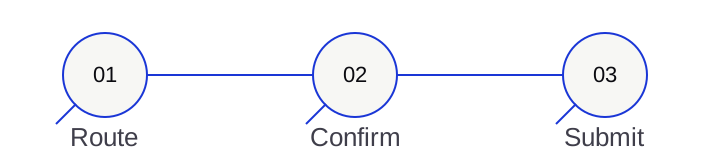
An ESOS notification, from records to receipt
An illustrative preparation sequence. The official MESOS service and applicable Regulations govern your filing.
- 01 / Route01
Confirm the participant and route
Check the undertaking, group and qualifying compliance route. - 02 / Evidence02
Assemble the assessment information
Reconcile energy, intensity, audits, savings and relevant previous-plan findings. - 03 / Review03
Record the lead assessor’s outcome
Where required, obtain the review and retain the assessor’s compliance view. - 04 / Confirmation04
Obtain responsible-officer confirmation
Apply the one-or-two officer rules; retain evidence of the confirmations. - 05 / Submit05
File through MESOS
The responsible undertaking submits the accurate notification by the compliance date. - 06 / Retain06
Keep the receipt and next obligations
Download the copy, retain evidence and assign action-plan and progress-update ownership.
Frequently asked
ESOS notification and MESOS, answered
What is MESOS?
MESOS, Manage your Energy Savings Opportunity Scheme reporting, is the Environment Agency’s online system for ESOS notifications of compliance, action plans and progress updates.
It launched in April 2024 for Phase 3, replacing the Smart Survey system used in the first two phases.
The Regulations call it the Notification System.
How do I log in to MESOS?
The GOV.UK ESOS page says you create a GOV.UK One Login to sign in to MESOS.
The Phase 4 guidance says users create an account which the scheme administrator verifies before information can be entered, saved and submitted.
Queries about the system go to esos-it@environment-agency.gov.uk.
What is the ESOS notification of compliance?
The filing required by regulation 29 of the ESOS Regulations: the responsible undertaking notifies the scheme administrator, through the Notification System, whether the participant has complied, by providing the Schedule 3 information for its route and the responsible officer’s confirmation under regulation 31.
When is the ESOS Phase 4 notification due?
By 5 December 2027.
Regulation 29 also says the notification is made after the qualification date, so a Phase 4 notification cannot be made before 31 December 2026 has passed.
The guidance says further information on submitting Phase 4 notifications through MESOS will be provided.
Who signs off the ESOS notification?
A responsible officer: a director, or a person exercising management control, of an undertaking in the participant.
Regulation 30 asks for one where the lead assessor is independent of the participant and two in any other case, including where no lead assessor was needed because consumption was under 40,000 kWh.
Is there a charge to submit an ESOS notification?
No. The Environment Agency’s Phase 4 guidance says there will be no charge for submitting the notification of compliance.
What is published from the ESOS notification?
Most of it.
The Environment Agency publishes the notification apart from personal and commercially sensitive details, within six months of the compliance date; it states 10 June 2028, which should be read separately from regulation 10’s six-month statutory period.
The combined energy savings figure is published, while per-measure savings and the action plan review are notified but not published.
What if we do not qualify for ESOS Phase 4?
Tell your regulator if you qualified for an earlier phase or your regulator has contacted you, as the GOV.UK ESOS page asks.
A participant with zero energy consumption is different: it is in the scheme and notifies compliance under the zero-consumption route.
Can we correct an ESOS notification after submitting it?
The guidance says to email esos@environment-agency.gov.uk for advice on how to correct information you later discover was inaccurate.
Corrected and late submissions are published within six months of receipt.
Do we still notify if we use ISO 50001?
Yes.
A certificate over all total or significant consumption deems the lead assessor, the audit and the report done, but regulation 29(1)(ad) sets out the information that participant still notifies.
Sources
Primary sources
Every figure, date and status on this page traces to the instrument’s owner.
Secondary commentary is never the source for a number.
- legislation.gov.ukSI 2014/1643, regulation 29 — notification of compliance
What each route notifies, and the window: after the qualification date, by the compliance date.
- legislation.gov.ukSI 2014/1643, regulation 31 — confirmation by the responsible officer
The four confirmations the notification carries.
- legislation.gov.ukSI 2014/1643, regulation 30 — the responsible officer
One or two officers, and the independence test.
- legislation.gov.ukSI 2014/1643, regulation 10 — publication
What the scheme administrator publishes, and within six months of when.
- legislation.gov.ukThe Energy Savings Opportunity Scheme Regulations 2014 (SI 2014/1643)
Regulation 8 establishes the Notification System that MESOS implements.
- legislation.gov.ukThe Energy Savings Opportunity Scheme (Amendment) Regulations 2023 (SI 2023/1182)
Substituted the route-by-route limbs of regulation 29(1).
- legislation.gov.ukThe Energy Savings Opportunity Scheme (Amendment) Regulations 2026 (SI 2026/701)
Added the ISO 50001 and zero-consumption limbs, Tables J and K, and the action plan review.
- Environment AgencyManage your ESOS reporting (MESOS)
The online service for notifications, action plans and progress updates.
- GOV.UK (Environment Agency)Energy savings opportunity scheme (ESOS): find out if you qualify and how to comply
GOV.UK One Login, part-complete saving, the help addresses and the update log; rewritten 2 September 2026.
- Environment AgencyHow to comply with ESOS phase 4, section 12
Notification content, director sign-off, after submission, and the Phase 4 publication date.
- Environment AgencyComply with ESOS phase 4 — Appendix B
The information to provide through the notification system, and what is published.
- Environment Agency (data.gov.uk)Energy Savings Opportunity Scheme — published Phase 3 data
What publication looks like: notifications, action plans and progress updates as open data.